Binaries dominate storage
The row data is manageable, but documents and media force a larger database tier and extend every backup and restore operation.
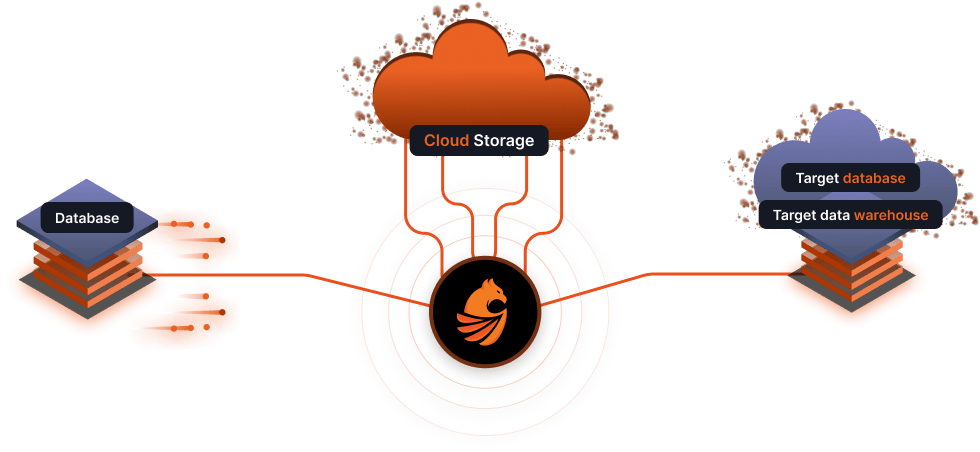
Stop paying database prices for object storage. Omni Loader offloads BLOBs to S3, Azure Blob, or ADLSv2 during the migration, and leaves a lightweight reference in their place.
 documents
 Target rowobject_uri
One migration pass
As the row moves, the BLOB can follow a separate storage path while the target keeps a lightweight reference instead of carrying the full binary payload.

Then they're eating most of your bill, too.

It starts simple. Store the PDFs and images in the database, one less system to think about. Three years later, the BLOBs outweigh the actual data ten-to-one, and the monthly bill from your cloud provider becomes the wake-up call.
Cloud object storage is built for exactly this: cheap, durable, and ridiculous to try to recreate inside a database. If BLOBs are dictating your database tier, your backup windows, and your bill, it's time to move them.
The migration is the perfect moment to clean this up. Omni Loader does the offload as part of the data copy. No second pipeline. No follow-up project.
Turn on Blob Extraction when you set up the target. Point it at Amazon S3, Azure Blob, or ADLSv2. As rows copy, each BLOB is uploaded to object storage and replaced in the target with a lightweight identifier.
The target lands smaller, the backups land cheaper, and the long-term storage bill drops with it.
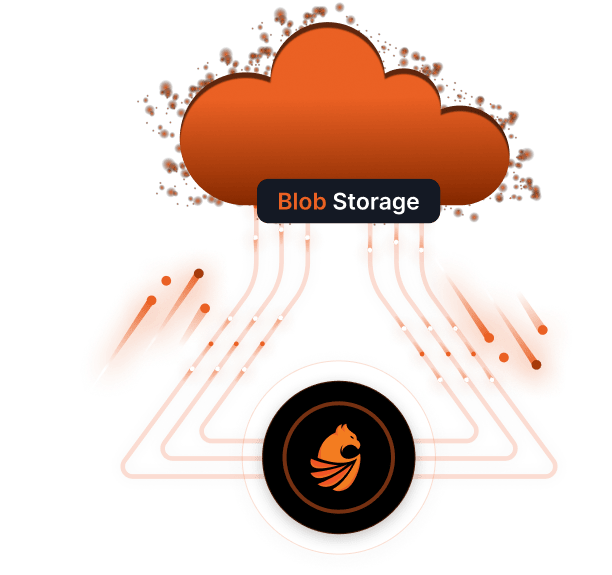
Drop in the cloud storage credentials. The BLOBs go where they belong. The database stops being a graveyard for binary data.
The storage-shape problem
The decision made sense years ago: put PDFs, scans, images, or attachments beside the row that owns them. Then the binaries grew faster than the business data. They began dictating the database tier, backup duration, restore time, replication volume, and cloud bill.
A database migration can copy that problem perfectly into a new platform, or it can use the one moment when every row is already moving to put each kind of data where it belongs.
Offload binary objects as their rows move, preserve a reliable reference between them, and land the target without carrying the source’s storage problem forward.
You are here when…
The row data is manageable, but documents and media force a larger database tier and extend every backup and restore operation.
The target architecture expects objects in S3, Azure Blob Storage, or ADLS Gen2 and lightweight references in relational rows.
If the team copies the BLOBs into the new database now, everyone knows the promised cleanup is likely to remain permanently “phase two.”
A separate script must read each object, name it, upload it, update the corresponding row, retry failures, and prove that no reference points to the wrong binary. The data move and storage redesign drift into separate schedules.
Enable BLOB extraction for the target and provide the object-store contract. As Omni Loader copies a row, it uploads the binary and writes the configured lightweight identifier into the target value. Progress stays part of the migration run.
Use this capability when
Progress you can see
Database capacity follows the transactional dataset instead of the accumulated weight of binary objects.
Object upload and row migration share progress and validation instead of becoming disconnected projects.
Validate identifier format, access policy, lifecycle rules, and application retrieval before the cutover.
The right success test is not only “Did every BLOB upload?” It is whether every consumer can resolve the new reference with the permissions and lifecycle the application will depend on after cutover.
Bring a real source and target. We'll scope the migration and show you live throughput on your data.