Microsoft training - Omni Loader
Configure Source Connection
Configure the connection to your source database: the Synapse Dedicated SQL Pool
Within Omni Loader, data can be read in two separate modes.
Polybase: recommended for large databases. Polybase leverages Synapse's parallelism, allowing all nodes to export data simultaneously in Parquet format, making it significantly faster than SQL Select.
SQL Select: provides better progress tracking, reliability, and error handing. However, it's slower for large datasets.
Begin configuration of the source database
Select source database from the drop-down menu.
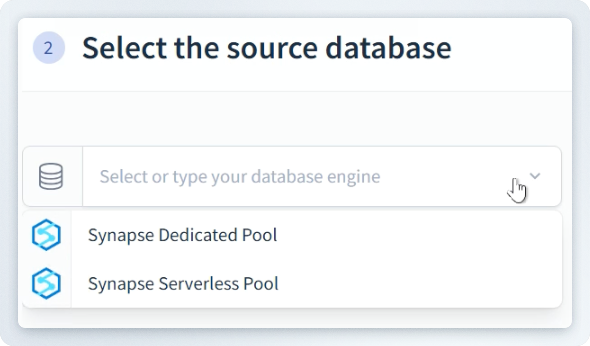
The Source Connection interface appears.
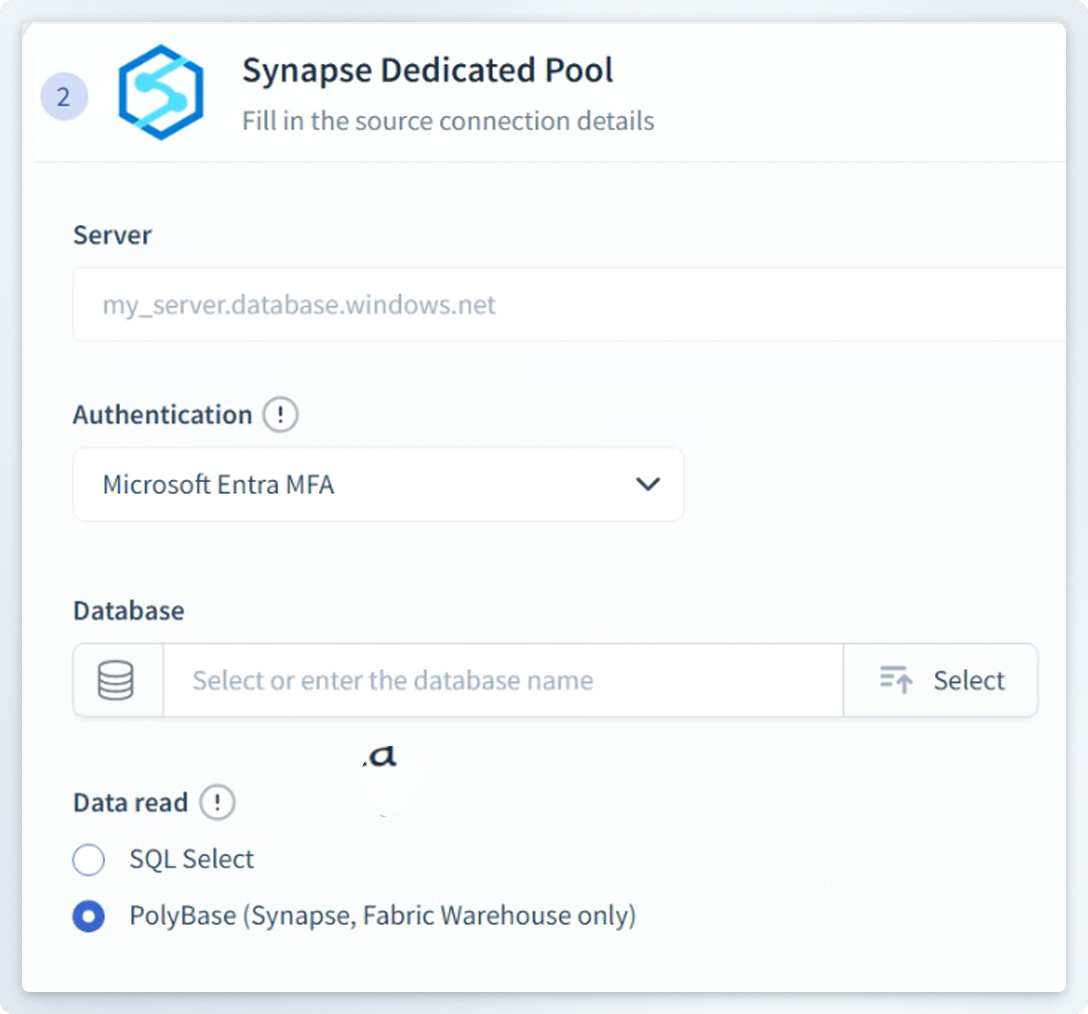
Enter the following information:
- Server name
- Database name: select from the menu.
- Authentication: there are several methods, such as SQL Auth, Managed Identity, or Service Principal (preferred).
- Choose connection method:
- Polybase
- SQL Select