Emulation scenarios
Basic cursor loop
Emulation context
Basic cursor loops are one of the most common cursor patterns in SQL Server. They involve declaring a simple CURSOR over a query, opening it, and iterating row by row using FETCH NEXT until all rows have been processed.
This pattern is often used when:
- Processing rows in sequential order.
- Applying per-row logic not easily expressed as a set operation.
- Writing administrative or reporting scripts that iterate over small-to-moderate result sets.
However, because Microsoft Fabric Warehouse does not support cursors natively, this imperative, row-wise iteration must be transformed into a Fabric-compatible structure to preserve logic without breaking execution.
Emulation strategy
SQL Tran emulates the basic cursor loop by:
- Converting the cursor’s query into a temporary table that holds the full result set.
- Adding an explicit row number (
ROW_NUMBER()window function) to track position. - Rewriting the loop into a
WHILEconstruct that increments a scalar counter (@CurrentRow) from 1 to the row count. - Using
SELECTstatements to retrieve the current row’s data into variables based on the row number.
This approach ensures the per-row processing remains deterministic and compatible with Fabric’s distributed architecture.
Code example
SQL Server:
CREATE PROCEDURE dbo.ProcessPeople
AS
BEGIN
    DECLARE @BusinessEntityID INT, @LastName NVARCHAR(50);
    DECLARE person_cursor CURSOR FOR
    SELECT BusinessEntityID, LastName FROM Person.Person;
    OPEN person_cursor;
    FETCH NEXT FROM person_cursor INTO @BusinessEntityID, @LastName;
    WHILE @@FETCH_STATUS = 0
    BEGIN
        -- Placeholder for logic
        FETCH NEXT FROM person_cursor INTO @BusinessEntityID, @LastName;
    END;
    CLOSE person_cursor;
    DEALLOCATE person_cursor;
END
Fabric Warehouse (generated by SQL Tran):
CREATE PROCEDURE dbo.ProcessPeople
AS
BEGIN
    DECLARE @BusinessEntityID INT, @LastName NVARCHAR(50);
    DECLARE @RowCount_person_cursor INT;
DECLARE @CurrentRow_person_cursor INT = 1;
CREATE TABLE #person_cursor (
	RowNum INT, BusinessEntityID INT, LastName NVARCHAR(50)
)INSERT
	INTO #person_cursor (RowNum, BusinessEntityID, LastName)
	SELECT ROW_NUMBER() OVER (ORDER BY (SELECT NULL)) AS RowNum,
		BusinessEntityID,
		LastName
	FROM
		Person.Person;
SELECT @RowCount_person_cursor = COUNT(*)
FROM
	#person_cursor;

    SELECT @BusinessEntityID = BusinessEntityID,
	@LastName = LastName
FROM
	#person_cursor
WHERE
	RowNum = @CurrentRow_person_cursor;
    WHILE @CurrentRow_person_cursor <= @RowCount_person_cursor
    BEGIN
        -- Placeholder for logic
        SET @CurrentRow_person_cursor = @CurrentRow_person_cursor + 1;
SELECT @BusinessEntityID = BusinessEntityID,
	@LastName = LastName
FROM
	#person_cursor
WHERE
	RowNum = @CurrentRow_person_cursor;
    END;

    DROP TABLE IF EXISTS #person_cursor;
END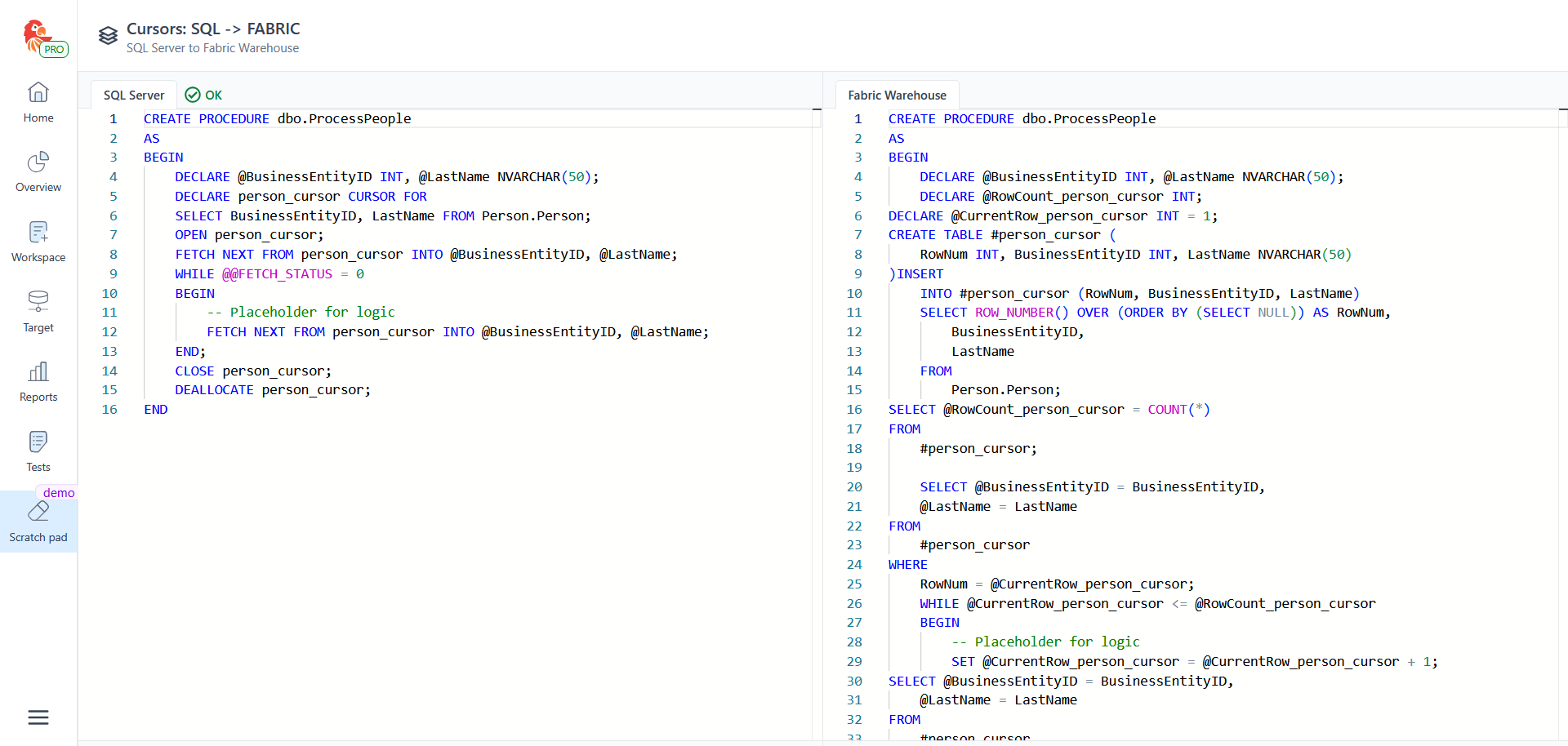
Important notes
- Pre-materialization: The entire result set is materialized into the temporary table before the loop starts. Changes made to the source table after the loop begins are not reflected during iteration.
- Order handling:
Since
ROW_NUMBER()uses anORDER BY (SELECT NULL), no explicit order is guaranteed unless the original cursor query includes its ownORDER BY. - Performance considerations: While this approach works well for small-to-medium result sets, processing large volumes row by row in Fabric may impact performance. Where possible, consider rewriting logic as set-based operations.
- Preserved comments: The translated code preserves any comments from the original source code, ensuring clarity during review.