MAPPING TABLES
Manual mapping
Use manual mapping when you want full control over how a table is copied. Click Use manual mode at the top of the table mapping screen. Once a table is manually mapped, the settings on this screen take precedence over the Project options for that table, and Full Convert doesn't second-guess your choices, even if you break the rules for valid identifiers in the target database.
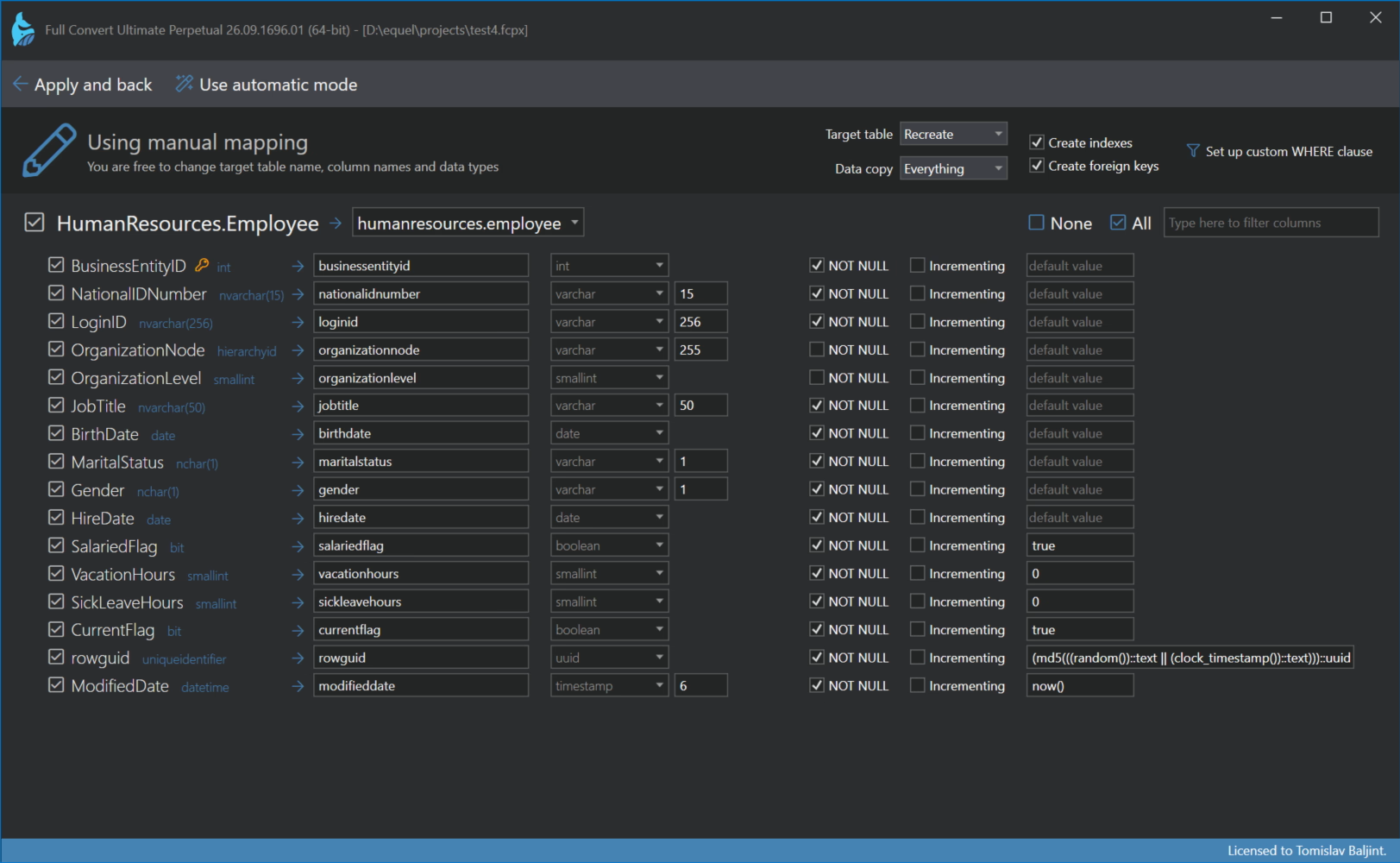
Table settings
The header shows the settings for this table alone:
- Target table is the name of the table in the target. Type a new name, or pick an existing table from the list. When you pick an existing table, the columns are matched up by name to save you from mapping each one yourself.
- Table creation and Data copy work as in the Conversion options, but for this table only. Recreate the table or expect it to exist, copy everything, only the added records, append or nothing.
- Create indexes and Create foreign keys can be switched off for this table. They are not available when the table is expected to exist.
Columns
What you can do with the columns depends on how the table is created.
When the table is recreated, you design the target columns. For each source column you can change the target name, the data type, the precision and scale, whether it is NOT NULL, whether it is auto-incrementing, and its default value. The data type list contains the types of the target database.
When the table is expected to exist, or in a replication project, the target table already has its columns, so you choose the matching target column for each source column from the list. Columns with the same name are matched automatically.
In both cases, tick and untick columns to choose which ones are copied, using the same filter, All, None and Toggle listed as in automatic mode.
Applying
Full Convert checks the mapping as you work and tells you right on the screen if something doesn't add up, such as a column without a target or a missing key. Click Apply and back when you are done. To throw away your changes and return to the automatic mapping, click Use automatic mode.
