PROJECT
Copying a database
Clicking Copy your database starts the run. The progress screen lists the stages down the left side and ticks them off as they complete, while the tables being processed show up with their record counts in the middle.
.avif)
Mapping tables
The tables are mapped to the target: names, data types, defaults and keys, following the project options and any manual mappings. Names that are too long for the target database are shortened and, when shortening makes two names collide, deduplicated. Each database has its own limits on identifier length and allowed characters, and Full Convert takes them into account so the created structure is always valid.
Creating tables
Schemas are created first where the target supports them. Then, for tables set to Recreate, existing target tables are dropped and created anew. Tables set to Expect existing are left in place and emptied when the data copying mode asks for it. Nothing else in the target database is touched.
Copying data
The data copying process is highly optimized. Wherever possible, Full Convert uses bulk loading or direct file writing, and falls back to the fastest mode the target database supports otherwise. The load mode is chosen separately for each table, since certain column data types rule out bulk loading, and it is shown right on the progress screen, so you can always tell when something forced a slower mode.
Database engines differ greatly in speed. PostgreSQL in bulk mode copies well over a hundred thousand records per second, while Microsoft Access is slow by nature and no amount of optimization on our part can change that.
In Added records mode, the highest key value in each target table is looked up first, and only newer source records are copied.
Creating indexes
Indexes are created after all the data is in. Loading is faster into tables without indexes, so this ordering helps performance. Depending on the data size, indexing can take a while.
Creating foreign keys
Foreign keys describe the relationships between tables. An orders table, for example, records which customer placed each order, and the database refuses data that breaks the relationship. They are created last, once the indexes they rely on exist. Auto-incrementing columns get their counters set to continue after the copied values.
Stopping
STOP cancels the run. Full Convert asks the workers to stop, waits for the tasks in flight to finish so nothing is left half-written, then shows what was and wasn't completed. A run can't be resumed, but it can simply be started again.
Conversion review
When the run completes, the review shows what has been done: how many tables and records were copied, how much data, how long it took, and how many workers were used. Tables that had problems are listed with their errors and warnings.
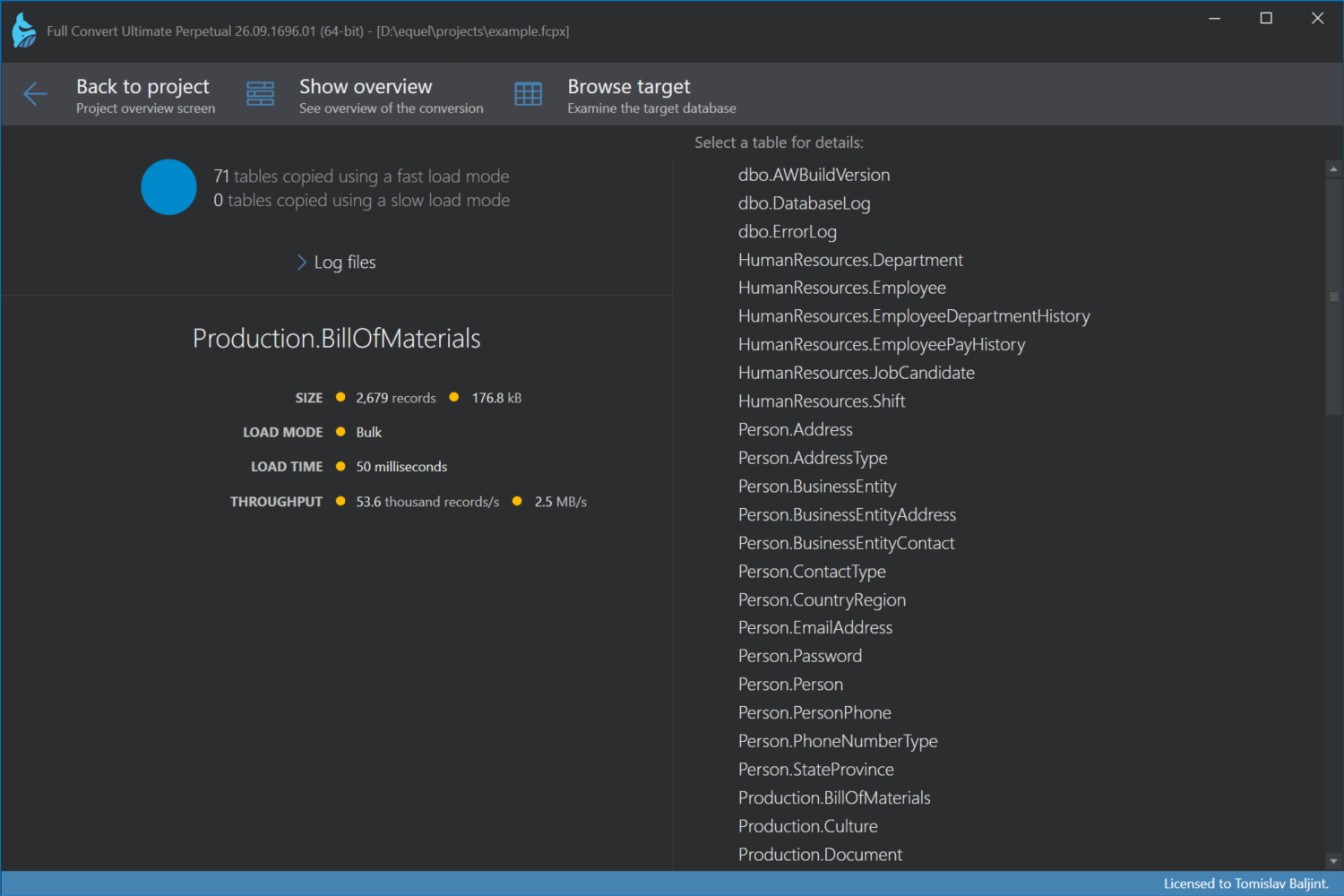
Show details lists every table with its size, load mode, load time and throughput, so you can spot the slow ones. Log files opens the logs you configured in the project, and Browse target lets you look at the copied data right away.
