PROJECT OPTIONS
Custom scripts
Sometimes you want to prepare your database or computer before a run, or tidy up afterwards. You might log something, scrub some data before copying, or run your own modifications on the converted tables, especially when the project runs on a recurring basis.
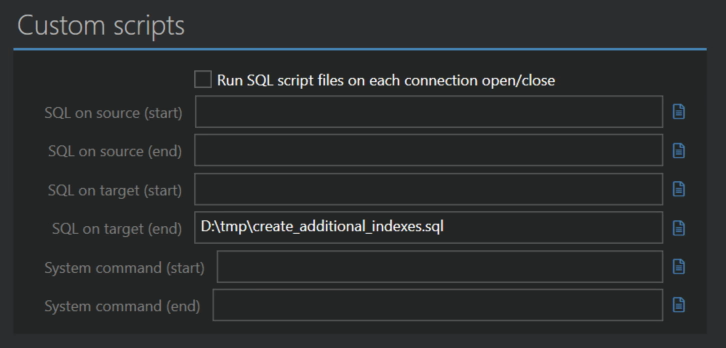
Run SQL script files on each connection open/close
Normally each SQL script runs once per run. Turn this on to run the scripts on every database connection Full Convert opens, which matters when tables are processed in parallel and each worker has its own connection. Use it for session settings that must be in place on every connection.
SQL on source (start), SQL on target (start)
SQL script files to run against the source and the target database before the run starts, before any table is created or copied. Type the file name or use the icon on the right to browse for it.
By default Full Convert never writes to your source database. If your script modifies it, we let it run and assume you know what you are doing.
System command (start)
A program or batch file for Windows to run before the run starts. Full Convert waits for it to finish. If it returns a non-zero exit code, that is reported as an error.
SQL on source (end), SQL on target (end), System command (end)
The same three, run as soon as the conversion is complete. Use them to log something, notify another system, or apply your custom changes to the converted tables.