PROJECT OPTIONS
Troubleshooting
Full Convert is carefully engineered to be as fast as possible. Sometimes you want it to run slower to lighten the load on your databases, or to work around a low-quality driver (we have seen this with some ODBC drivers). If your conversions run without problems, you don't need to touch anything here.
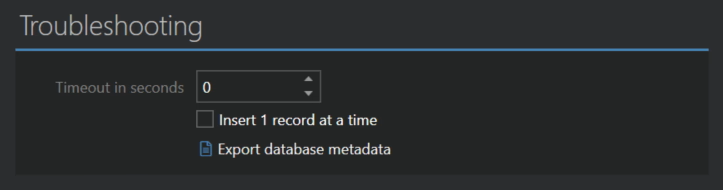
Timeout in seconds
How long a single SQL command sent to the source or the target may take before it fails. The default of 0 means no timeout: Full Convert waits for as long as needed. Set a number if you would rather have a hanging statement fail and be reported than wait indefinitely. Changing it takes effect on the next run.
Insert 1 record at a time
Forces Full Convert to send each record to the target database separately, instead of the fast bulk loading it normally uses. This is slow, but it is the way to find out which record causes a problem, since the target reports the error for that exact record. Combine it with the SQL and Failed SQL logs from the Logging section to see the statements themselves.
Export database metadata
Saves the structure of the databases in the project, as Full Convert sees it, to a .meta file. It contains tables, columns, data types, indexes and keys, but no data. When you contact support about a mapping problem, this file lets us reproduce it without access to your database.