PROJECT OPTIONS
Comparison
Replication projects compare the source and target tables record by record, using the primary key or the comparison key you picked for each table, and then copy only the differences. These options control what counts as a difference.
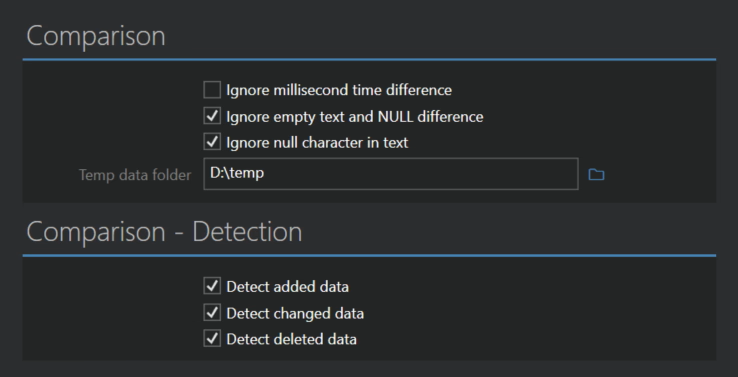
Comparison
- Ignore millisecond time difference treats date and time values that differ only in fractions of a second as equal. Useful when the two databases store time with different precision.
- Ignore empty text and NULL difference treats an empty text and a NULL as the same value. Some databases don't distinguish between the two, which would otherwise show up as a change on every run.
- Ignore null character in text is on by default and ignores the null character (
\0) in text values, since many databases can't store it. - Temp data folder is where Full Convert keeps the comparison data while it works. Leave it empty to use the application temp folder of the current user.
Detection
By default all three kinds of differences are detected. Switch one off if you don't want that kind of change carried over to the target.
- Detect added data finds records that exist in the source but not in the target.
- Detect changed data finds records that exist in both, but with different values.
- Detect deleted data finds records that exist in the target but no longer in the source.
