SCHEDULER
Task editor
A scheduled job needs three things: which saved project to run, when to run it, and who runs it.
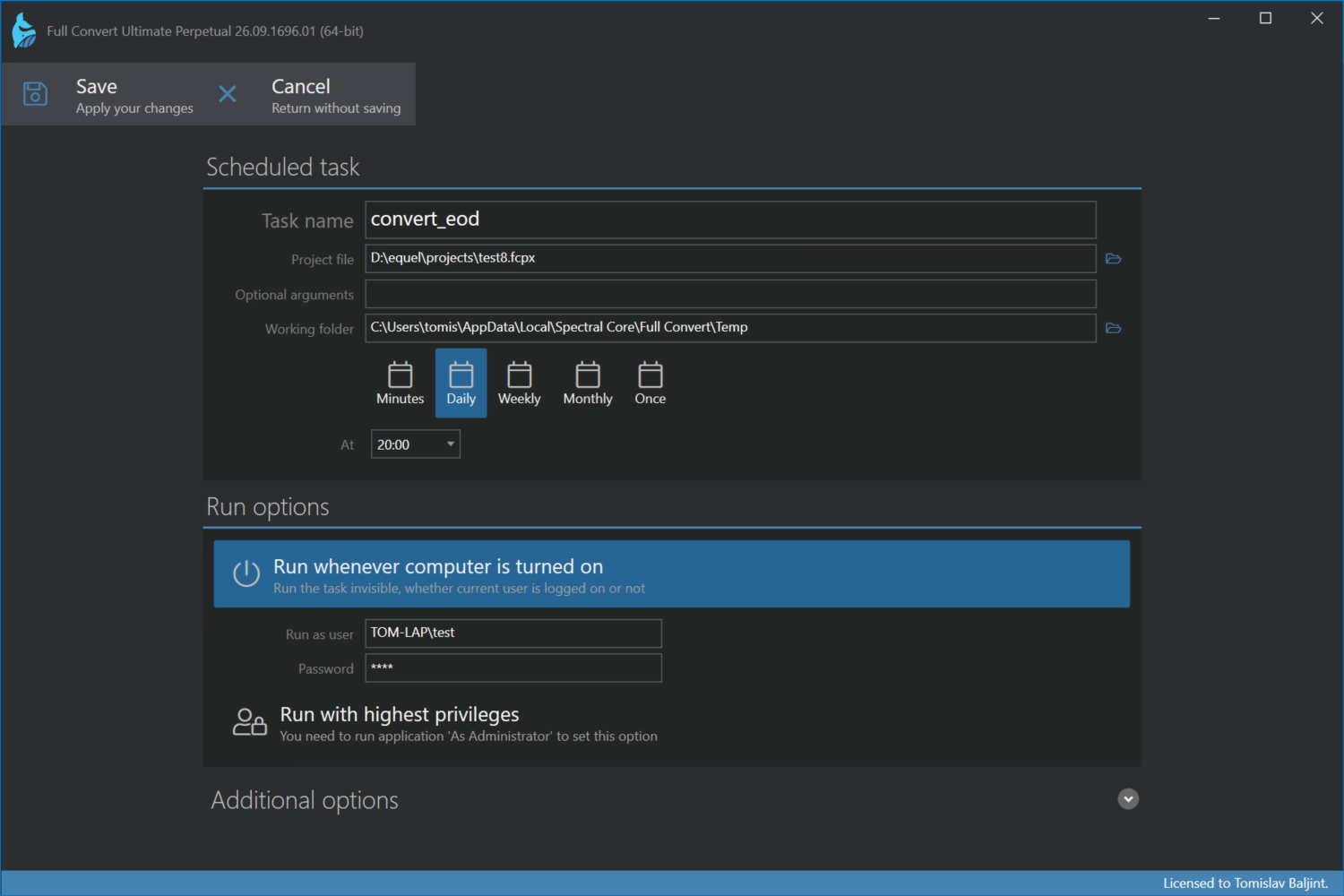
Scheduled task
- Task name identifies the job in the list and in the Windows Task Scheduler.
- Project file is the saved project to run. Save your project from the project overview first.
- Optional arguments are extra switches for the console application, for example to override a connection parameter. See the Console section for what is available. Most jobs need none.
- Working folder is where the job runs and where its log files land unless you specify other paths. It has to exist.
Schedule
Pick how often the job runs and when.
- Minutes repeats the job every N minutes. Meant for replication projects.
- Daily runs once a day at the time you set. We recommend a time when the target database is least used, usually at night.
- Weekly runs at the set time on the days of the week you tick.
- Monthly runs at the set time on one day of each month.
- Once runs a single time on the date and time you set.
Run options
- Run whenever computer is turned on runs the job invisibly, whether anyone is logged on or not. Windows needs a user for that, so fill in Run as user and Password. Without this option the job runs only while you are logged on, in a console window you can watch.
- Run with highest privileges runs the job with administrator rights. You need to start Full Convert itself as administrator to be able to set it.
Additional options
The job normally uses the logging settings saved in the project. Under Override logging from the project you can give the job its own log files and its own Saving files strategy, with the same choices as in the project options: overwrite, timestamped folder, timestamped files or append. Useful when several jobs run the same project and you want their logs kept apart.
Click Save to create or update the job. It appears in the list with its next run time.
