PROJECT
Replicating differences
A replication project keeps a target database current without copying everything again. Clicking Replicate differences compares the source and target tables and applies only what changed. The run starts the same way as a copy: the metadata is read and the tables are mapped, this time to the tables that already exist in the target.
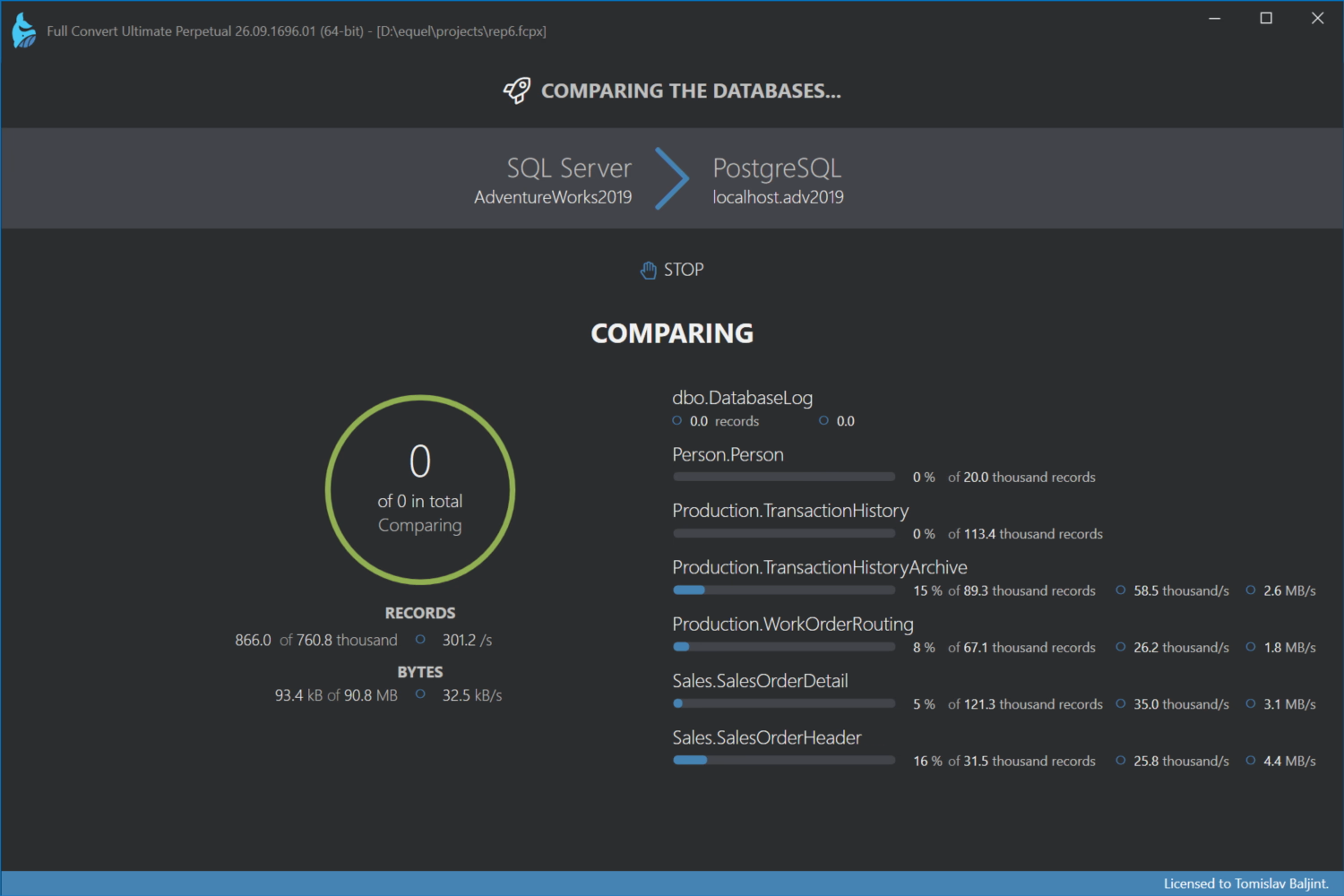
Comparing
Each selected table is read from both databases and compared record by record, matched on the primary key or the comparison key you chose. Full Convert finds three kinds of differences: records added in the source that the target doesn't have, records that exist on both sides with different values, and records deleted from the source that are still in the target. Which of these are looked for, and what counts as a difference, is set in the Comparison options. Custom WHERE clauses narrow the comparison to part of a table.
The differences are written to the temp data folder as they are found, so even very large tables are compared without holding everything in memory.
Replicating
The differences are then applied to the target: new records inserted, changed records updated, deleted records removed. Only the affected records are touched. Everything else in the target stays exactly as it was, which is what makes replication safe to run often, even every few minutes on a schedule.
Comparing without replicating
Compare table data on the project overview runs the comparison alone and stops there. Use it to see what would change before anything is written. The review shows the differences, and Replicate changes applies them from there, without comparing again. Compare again repeats the comparison.
Stopping
STOP cancels the run. Full Convert waits for the tasks in flight to finish before showing what was and wasn't completed. Records already replicated stay in the target; the next run picks up where this one left off, since it compares again from scratch.
Replication review
When the run completes, the review shows how many tables were compared and how long it took, and, for a replication, how many records were added, changed and deleted.
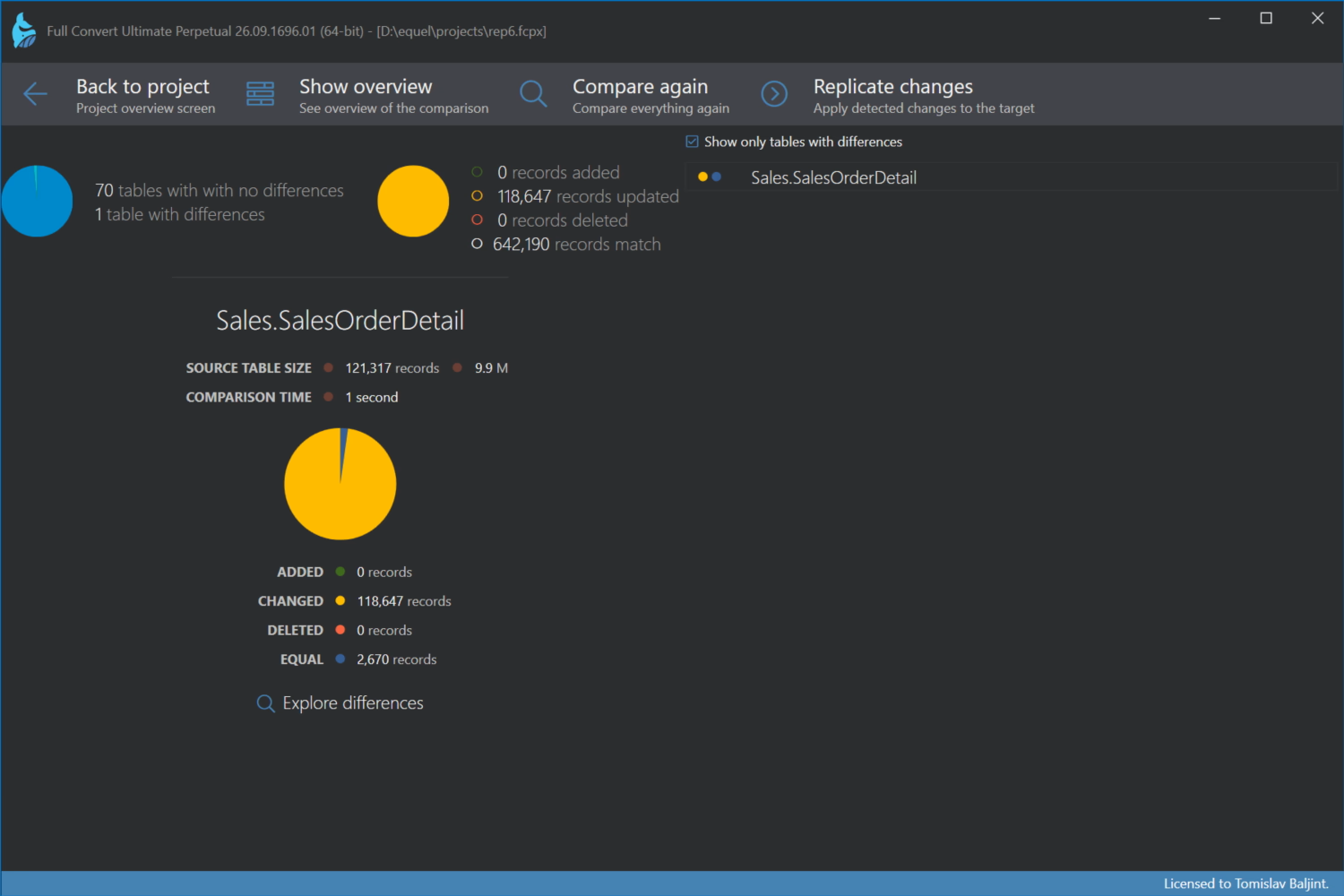
Show details breaks it down per table: a chart of tables with and without differences, and for the selected table the counts of added, changed, deleted and equal records, along with comparison and replication times. Show only tables with differences hides the rest. Explore differences opens the records themselves, side by side, with the changed values highlighted and a filter to show only the columns that differ. Log files opens the logs, including the replication details log that lists every difference found.
